Draw & create · Physics & satisfying
Fluid Paint
Drag a brush through glossy paint, overlap colors and watch the strokes mingle. Fluid Paint makes the act of painting satisfying before you have decided what to paint.
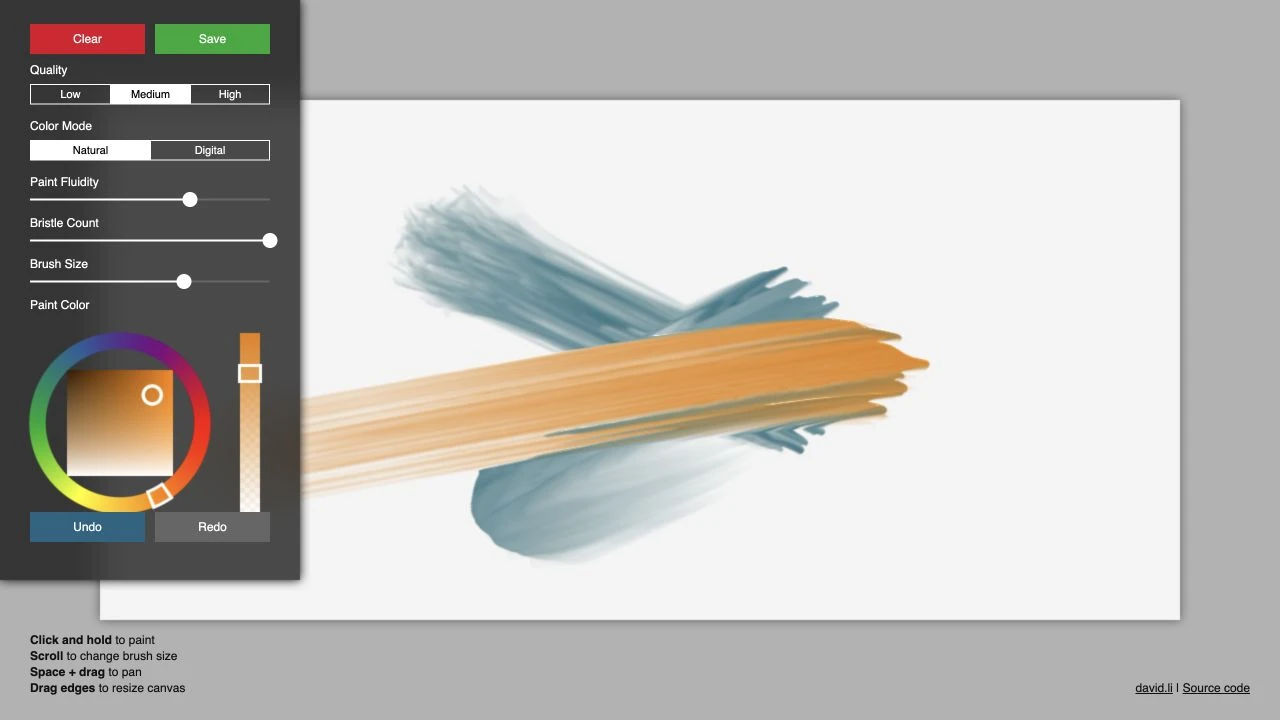
Overlapping blue and orange strokes show the bristle marks and streaks of mixed color.
- Cost
- Free
- Account
- Not required to paint
- Devices
- Computer and modern phone
- Controls
- Click and drag, or paint with a finger
- Creator
- David Li
What is Fluid Paint?
Fluid Paint is an interactive painting experiment by David Li. A simulated brush lays down wet-looking color on a blank canvas, leaving streaks and grooves as it moves. Paint over another stroke and the colors begin to mingle.
There is no picture to copy or challenge to complete. You can make something deliberate, or spend a few minutes pushing paint around to see what happens. It runs in the browser for free, without an account.
How to start painting
Click and hold on the canvas, then drag to make a stroke. Choose a hue on the color wheel and use the square inside it to adjust the shade. Try a broad stroke in one color, choose another and paint across it. The overlap is where things get interesting.
The Brush Size slider changes the width of the brush, and on a computer you can also scroll to adjust it. Undo and Redo let you step back and forward through your strokes, so a questionable color choice need not become a permanent commitment.
What we like about Fluid Paint
We like the visible texture most. A stroke has fine bristle marks, soft edges and highlights that make the paint appear raised from the canvas. Crossing two colors produces streaks within the new stroke, rather than simply covering everything beneath it with a flat band.
That gives even a few aimless marks something worth looking at. It is particularly satisfying to lay down a wide sweep of color and then drag another through it. There are no brushes to wash afterward, either.
The settings leave room to experiment: Paint Fluidity, Bristle Count and Brush Size sit alongside Natural and Digital color modes. You can start painting without touching any of them, then explore the controls when you want a different result.
Using Fluid Paint on a phone
On a modern phone, you can paint with a finger, choose colors and use the settings panel. A computer gives the canvas and controls more room, but the simple pleasure of making a stroke carries over to touch.
The panel also offers Low, Medium and High quality settings. Fluid Paint is best approached as a place to experiment with paint itself. If you want a structured lesson or a project with a clear finish, the blank canvas leaves that part up to you.
David Li’s interactive projects ↗ · Fluid Paint source code ↗
Find it in Draw & create · Physics & satisfying · Mobile-friendly