Music & sound
Typatone
Typatone turns your typing into music. Write a few words, listen to the notes they produce, then send someone a message they can play.
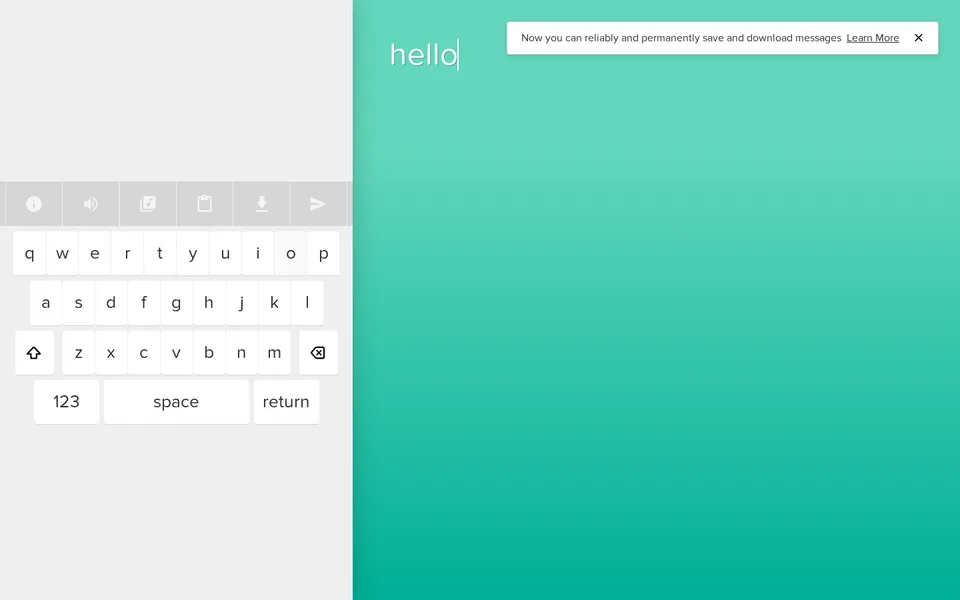
A short message in Typatone, with its on-screen keyboard and musical controls.
- Cost
- Free to type, listen and share; audio downloads cost $1.99 per message
- Account
- Not required to type or share a message
- Devices
- Computer and phone
- Controls
- Keyboard, on-screen keys or pasted text
- Sound
- Central to the experience; mute control available
What is Typatone?
Typatone is a musical writing toy by Lullatone and Jono. Each letter corresponds to a note, so the words you enter become a sequence of sounds. The letters light up as the message plays, letting you follow the music back through your writing.
You can start typing straight away without an account. A name or a short sentence is enough to hear the idea at work. There is no tune to get right, although you may develop strong opinions about how your name sounds.
How do you make a message?
Use your computer keyboard or tap the keys on the page. Backspace lets you revise the text, and the clipboard button opens a box for pasting something you have already written. The musical-note button changes the sound style; the speaker button mutes it.
Start with a few words before pasting a whole paragraph. A short message makes it easier to notice what changes when you add or remove a letter. The touch controls and audio also work on a modern phone.
Can you save and share it?
The paper-plane button creates a link to your musical message. Someone opening that link can press Play to hear it, without signing in. Keep the link if you want to return to that version: reloading the main editor starts a blank message.
Typing, listening and sharing a playable link are free. Downloading an audio file is a separate paid option, with a $1.99 checkout for each message. You do not need to buy it to send someone the music.
What we like about Typatone
We like how little separates writing something from hearing the result. The changing colors and highlighted letters give the music a visible shape, and editing familiar words becomes a small experiment.
Sharing suits the idea especially well. A few words become something the recipient can listen to, rather than just read. It is a pleasantly unnecessary extra step for saying hello.
Find it in Quick · Music & sound · Mobile-friendly