Make something
Viola the Bird
Viola the Bird lets you play a cello-inspired instrument by dragging your mouse or finger, with a purple bird handling the bow. Follow familiar melodies in Concert mode or switch to Freestyle to make up your own music, without needing to know how to play a real cello.
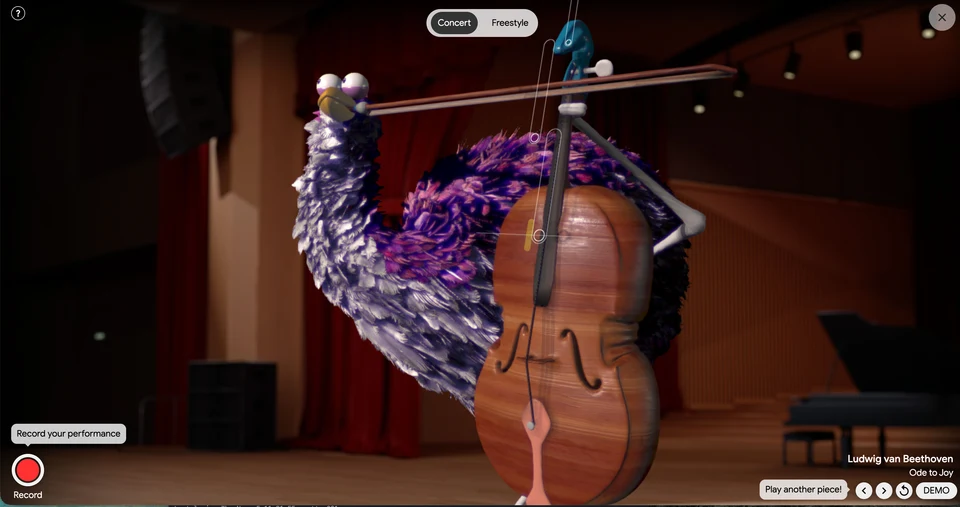
Viola playing Ode to Joy in Concert mode, with bowing cues and recording controls.
- Cost
- Free
- Devices
- Computer and phone
- Modes
- Concert and Freestyle
- Sound
- Essential
- Creator
- David Li with Google Arts & Culture
What is Viola the Bird?
Viola the Bird is an interactive music experiment by David Li and Google Arts & Culture. You control the bowing of a cartoon bird’s string instrument through dragging gestures. The animation responds to your movement while the experiment generates the musical sound.
Despite the name, the instrument is inspired by a cello. The project uses a sound-generation system developed with musicians and trained on cello and violin compositions. You do not need an instrument, microphone or musical training to start.
How do you play?
Drag slowly and steadily left and right to move the bow. In the Concert tutorial, change direction when a note reaches the marked line, and use slower movements to carry longer notes. The prompts introduce the movement before leading into Ode to Joy.
The useful starting point is a smooth back-and-forth gesture, rather than rapid tapping. On a phone, use your finger in place of the mouse.
What is the difference between Concert and Freestyle?
Concert gives you an existing piece to play, with visual note cues and a concert-hall setting. The selection includes Beethoven’s Ode to Joy and Pachelbel’s Canon in D. Use the piece arrows to choose another tune; a restart control lets you begin again.
Freestyle moves Viola outdoors and gives you room to improvise without following the Concert score. It is the mode to choose when you would rather explore the instrument than work through a familiar melody. You can switch between the two using the controls at the top.
Can you record your performance?
Yes. Select Record, play your performance, then choose Finish. You can replay the result inside the experiment. It is a useful way to hear what you have made after concentrating on the gestures.
Does it work on a phone?
Yes. Touch dragging and switching between Concert and Freestyle work on a phone, with sound. No Google sign-in is needed to launch and play the experiment.
The launch screen cautions that older devices may not perform optimally. If it feels sluggish, try a newer phone or a computer. Sound is central to the experience, so headphones make sense when you are not somewhere you can play it aloud.
What we like about Viola the Bird
The bird gives a simple bowing gesture a lot of personality. Its long neck and oversized instrument make the act of playing entertaining to watch, while Concert mode gives those movements a recognizable tune to follow.
We like having both a starting point and an escape from it. Ode to Joy provides something familiar to attempt; Freestyle is there when following the notes starts to feel like homework. It is a musical toy to enjoy, rather than a substitute for learning cello technique.
Site operated by Google Arts & Culture.
Find it in Make something