A DISTRACTORY ORIGINAL
Rubber Duck Machine: how to play
Make a rubber duck in three small steps: load the yellow lump, pull the lever and press the stamp button. Your numbered rubber duck joins a running total shared with everyone playing around the world.
Made and explained by Distractory · Updated
Make a rubber duckFree · No account or download · Computer and phone · Sound optional
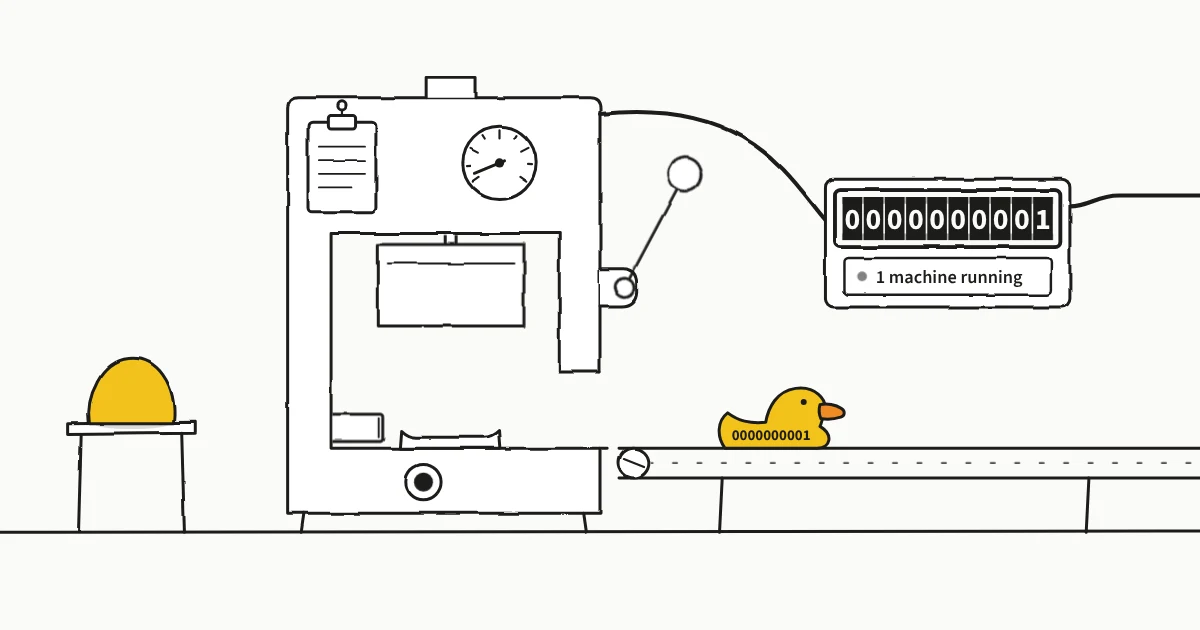
What is Rubber Duck Machine?
Rubber Duck Machine is a free browser toy made by Distractory. You operate a small, hand-drawn machine that turns a yellow lump into a numbered rubber duck, then sends it along a conveyor. Every successful stamp adds one to the worldwide count.
There are no levels to beat, upgrades to buy or timers to race. The pleasure is in doing the little sequence yourself: dropping the lump into place, pulling the lever, hearing the stamp and watching your rubber duck leave. Make one or stay for a few more.
How to make your first rubber duck
Load the yellow lump
Drag the yellow lump from its stand on the left into the opening beneath the press. Drop it near the center of the mold so it settles into place.
Pull the lever down, then let go
Drag the round handle on the right of the press all the way down. The press forms your rubber duck. Release the handle and let the press rise again.
Press the stamp button
Click or tap the round button beneath the press. Your rubber duck receives its own serial number and moves onto the conveyor. A new yellow lump arrives for the next one.
That is the whole job. The machine stays hands-on: it does not keep making rubber ducks for you when you leave.
Can you play on a phone or with a keyboard?
Yes. On a phone or tablet, use your finger to drag the lump and pull the lever, then tap the stamp button. On a computer, use a mouse or trackpad for the same sequence. No app installation is needed.
For keyboard play, press Tab to focus the yellow lump, then Enter or Space to load it. Focus moves to the lever once the lump is ready. Press again to operate the lever, then again when the stamp button receives focus. You can also reach each control with Tab.
The sound button turns the mechanical sounds on or off. Sound adds to the feel, but you can complete the entire sequence with it muted.
Do you need an account, and what gets saved?
No account, registration or sign-in is required. The game is free and runs directly in your browser.
Your personal rubber duck count and sound preference are saved on your device in that browser. They normally remain when you return, but do not sync to another browser or phone. Clearing site data, or ending a private browsing session, can remove your personal count.
Rubber ducks already added to the worldwide total remain there even if you clear your local data. The shared log records production totals and country information, not a public profile or list of individual players. See our privacy page for more about how the site handles data.
What if the lump, lever or stamp gets stuck?
- The yellow lump fell onto the floor.
- Pick it up again and drop it near the center of the mold. Missing the opening does not cost you anything.
- The stamp button does nothing.
- Check the order: load the lump, pull the lever fully down, then release it. Give the press time to rise before pressing the stamp button.
- The stamp cannot get a number.
- Stamping needs an internet connection to receive a unique number from the shared counter. Check your connection, wait a moment and try the stamp button again.
- There is no sound.
- Check the game’s sound button and your device volume. Your browser may need a click or tap before it allows sound.
What other games and web toys is it like?
Rubber Duck Machine sits between a small interactive toy and a shared counting game. These are useful points of comparison, depending on which part you enjoy.
Coin by Playables
Coin was an inspiration for Rubber Duck Machine: a minimal interaction built around inserting a coin. Our version gives you a three-step making-and-stamping ritual and a rubber duck to send on its way.
Cookie Clicker
Both make a growing total part of the fun. Cookie Clicker expands into buildings, upgrades and automated production. Rubber Duck Machine keeps you operating one simple machine by hand, with your work contributing to a shared total.
Universal Paperclips
The link is making an ordinary object and watching the number rise. Universal Paperclips develops that premise into a much larger management game. Here, the small production ritual is the whole experience.
Draw a Fish
Draw a Fish lets you add your own drawing to a shared tank. Rubber Duck Machine has a similar feeling of contributing something small alongside strangers, though you share a production log rather than a screen full of everyone’s creations.
Firewood
Firewood makes a repeatable physical action satisfying: click to split a log, then rotate the scene for another look. Rubber Duck Machine has a similarly small scope, with a lever, a stamp and a shared counter giving you a reason to repeat it.
If you enjoy simple browser toys with no registration and no long tutorial, this is that kind of distraction. The rubber ducks are the point.